Deploy a Google AI Studio App for Free (No Cloud Run Needed)
Built an app in Google AI Studio? Turn it into static files and deploy it free on Netlify, Cloudflare, or GitHub Pages — no Cloud Run, no server, and your code never leaves your browser.
The short version
You built an app in Google AI Studio, it runs fine in the preview, and now you want a real URL you can share. The Deploy button nudges you toward Google Cloud Run — a server you configure and pay for once you leave the free tier. For most AI Studio apps that is overkill.
Here is the thing: an AI Studio app is a React + Vite project, and Vite projects compile down to plain static files (HTML, CSS, JavaScript). Static files host for free on Netlify, Cloudflare Pages, or GitHub Pages — no server, no cold starts, nothing to patch. This guide takes you from the code you export out of AI Studio to a live site without installing anything. The build runs inside your browser with React2Static, so your code is never uploaded to a server.
What Google AI Studio actually gives you
When you get the code out of AI Studio you have a project folder: a package.json, a vite.config.ts, an index.html, and a src/ folder. That is source code, not a website. If you unzip it and double-click index.html you get a blank page — the browser cannot run raw TypeScript and JSX. Vite has to bundle everything into browser-ready files first. That bundling step is the build, and it is the one piece missing between "it works in AI Studio" and "it works on the internet."
So the whole job is three steps: get the project out, build it into static files, put those files on a host.
How do I export my app from Google AI Studio?
AI Studio gives you two ways to get the code: connect it to a GitHub repository, or download the project. Either way, what you want is the complete project folder, including package.json — not just the copied contents of a single file. If you exported a ZIP, keep it zipped; that is exactly what the next step expects.
How do I build it into static files?
React2Static runs a real Vite build inside your browser using WebContainers. Nothing is uploaded — the Node.js environment, the dependency install, and the build all happen locally on your own machine.
That downloaded folder is your website. Every file in it is plain HTML, CSS, or JavaScript.
How do I run my Google AI Studio app locally?
You cannot just open index.html — the project has to be built or served first. The no-install route is to build and preview it in the browser with React2Static. If you do have Node.js installed, unzip the project and run npm install and then npm run dev, which starts a local server and prints a localhost URL. Either way, the common "blank screen locally" traps are covered in Run your Google AI Studio app locally.
Where can I host it for free?
Any static host works. All of these are free and take a simple drag-and-drop of your built folder:
Cloudflare Pages - free hosting with a global CDN, automatic HTTPS, and a free .pages.dev domain.
Netlify - drag-and-drop deploy, very beginner friendly.
Vercel - create a project, upload the files, done.
GitHub Pages - free, but it cannot send custom response headers, so a few projects misbehave. Fine for most simple apps.
Deploying to Cloudflare Pages, step by step
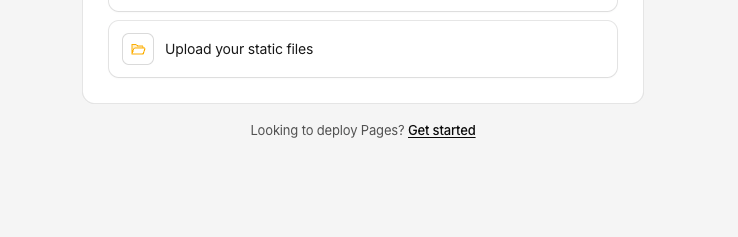

You get HTTPS and a global CDN for free. Add a custom domain later in the project settings if you want one.
Why not just use Google Cloud Run?
Cloud Run runs a container - you are renting a server that stays ready to answer requests. You pick a region, and past the free tier you pay by usage. That is the right tool when your app has a backend: a database, server-rendered pages, or a secret API key you cannot expose in the browser.
An AI Studio front-end that only talks to the Gemini API from the browser has none of that. It is static files. Static hosting is free, has no cold starts, scales to any amount of traffic, and there is no server to keep patched. Reach for Cloud Run (or any server) only when you actually add server-side code.
One caution: if your app calls Gemini with a secret key, that key would sit in your static JavaScript for anyone to read. That is the one case where you want a small serverless function in front of the API instead of calling it straight from the browser.
Does this work with Claude Code, Cursor, and Codex too?
Yes. Claude Code, Cursor, GitHub Copilot / Codex, Bolt, and Lovable all generate the same kind of Vite + React (or Vue / Svelte) project. The three steps are identical: get the project folder, build it into static files, drop them on a host. Nothing in this guide is specific to AI Studio except the export screen.
My app is blank or broken after deploying
The four usual culprits, quickest first:
Each of these has a concrete fix in Why your Google AI Studio app is blank after deploying.
FAQ
How do I export an app from Google AI Studio?
Use AI Studio's option to download the project or connect it to a GitHub repo, and keep the whole project folder including package.json. That folder, not the contents of a single file, is what you build into a website.
Do I need Google Cloud Run to deploy an AI Studio app?
No. Cloud Run is for apps with a backend. A front-end AI Studio app compiles to static files, which host for free on Netlify, Cloudflare Pages, or GitHub Pages with no server.
Can I deploy a Google AI Studio app for free?
Yes. Building it into static files and hosting those files is free end to end. React2Static builds it in your browser at no cost, and static hosts have generous free tiers.
How do I run a Google AI Studio app locally?
Either build and preview it in the browser with React2Static, or, with Node.js installed, run npm install and npm run dev in the project folder. Opening index.html directly will not work — the project has to be built first.
Why is my Google AI Studio app blank after deploying?
Almost always because the source was uploaded instead of the built dist/ folder, or the build's base path does not match the host. Missing environment variables and single-page-app routing are the other two common causes.
Is my code uploaded to a server when I use React2Static?
No. React2Static runs the Node.js build inside your browser with WebContainers. Your files never leave your machine.
Wrapping up
From "it works in AI Studio" to a live URL is really just one missing step - the build - and you do not need a server or a paid plan to do it. Export the project, build it into static files, drop them on a free host.